
Clatsop County’s VINE Service Is VISOR
Oregon retired its old VINE service on October 30, 2023. The replacement is the Victim Information System in Oregon, usually called VISOR. The state system runs custody searches and free automated alerts for records supplied by participating county or state systems. Clatsop County's Victim Services Unit sends users straight to VISOR. Some local paperwork still says VINE.
That local link confirms VISOR as the county's route. Even so, no jail record is guaranteed online every minute. The live interface can flag offline jails. There is no fixed participation table. Search the live system first. If nothing appears, confirm with the jail before deciding no arrest occurred.
The service tracks people currently in custody or under supervision. It is not a roster of all Clatsop arrests. It is not a court database. Records do not persist after release.
The official VISOR search screen shows the live search route and any service alerts.
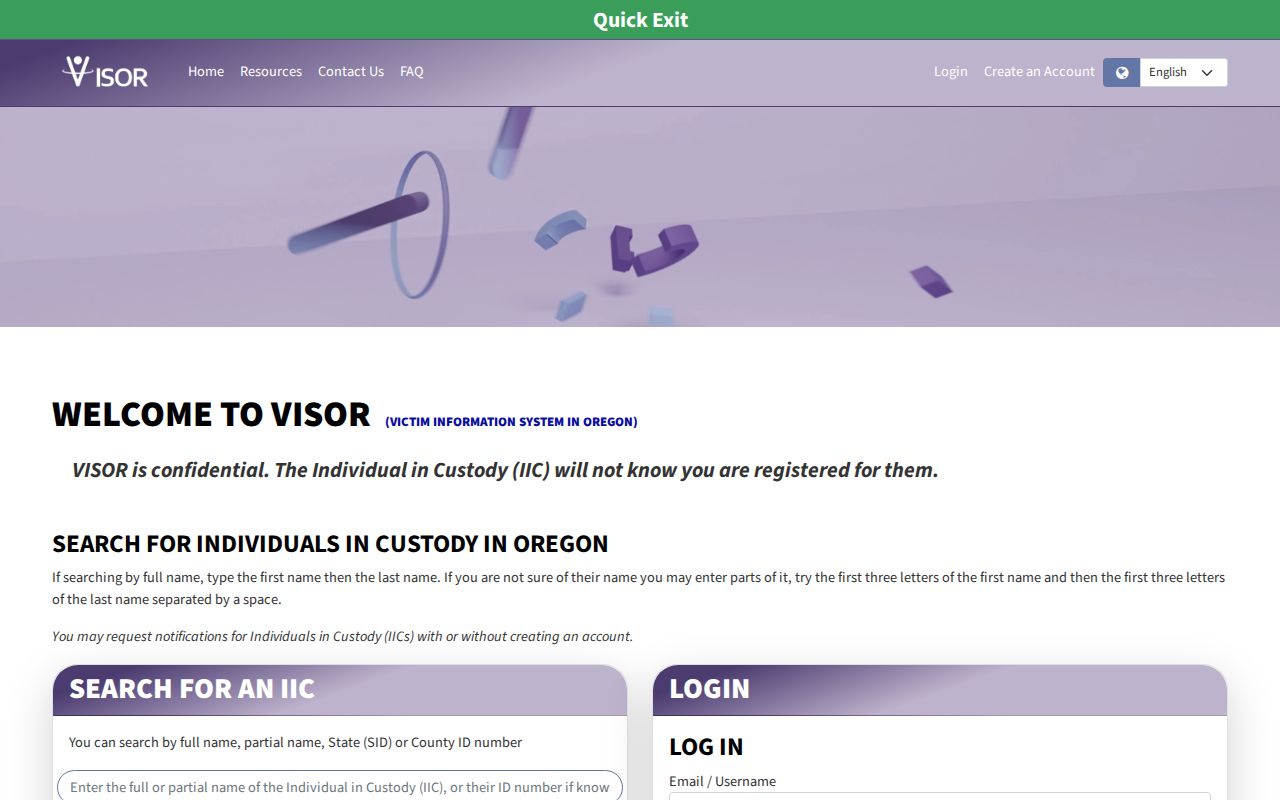
The search page confirms current fields, coverage notices, and system status. Check it before trusting any result.
How to Check a Clatsop Arrest
Start with enough detail to separate the right person from someone with a similar name. VISOR takes a full or partial name. It also accepts a State ID or SID, or a County ID number. First name then last name works best. Unsure of spelling? Enter the first three letters of each name with a space between them.
- Open Oregon VISOR and read any notice about offline facilities or interrupted functions.
- Enter the person’s first and last name, or use a known SID or County ID for a narrower match.
- Complete the CAPTCHA required by the search screen and submit the query.
- Compare the displayed name, identifier, facility, and custody details. Do not select a record from the name alone.
- If several records look similar, return to the search and add a stronger identifier rather than guessing.
- Use the notification option on the matching record if ongoing release or transfer information is needed.
A VISOR match answers only the custody question. The Clatsop County recent-arrests guide covers the official roster, booking-record requests, court follow-up, and photo rules. Each source updates on its own schedule.
What VISOR Shows After an Arrest
A result can carry enough fields to pin down the right person and their custody status. Fields may change. Read the live screen, not this summary.
| Field | How to read it |
|---|---|
| Name | An identity label to compare with other details, not proof by itself that the record belongs to the person sought. |
| State or county ID | An agency identifier that can separate similar names and help with a later official inquiry. |
| Custody status | The status supplied to VISOR. It can change after a release, transfer, escape, death, or other covered event. |
| Facility | The reported place or system responsible for custody. It may differ from the arresting police agency. |
| Notification options | The current methods offered for alerts tied to that selected record. |
An alert says what changed, nothing more. Release and custody statuses leave court questions open. For charges, hearings, and the final outcome, check the Clatsop Circuit Court record.
Register for Oregon Custody Alerts
VISOR sends confidential alerts by email, with optional text, telephone, or TTY contact. The person in custody never learns who registered. Account creation is temporarily unavailable. The registration page currently points users to Guest Registration. Since outages come and go, follow the options on screen and skip older VINE directions that mention a PIN.
- Find and carefully verify the correct record before choosing registration.
- Select the custody changes and contact methods offered on the current screen.
- Provide the required contact details. Account registration asks for a name, email, password, and security question.
- Choose whether the system may send after-hours notices when that option appears.
- Complete the confirmation steps shown for each contact method and keep the registration details secure.
- Update or cancel the registration when the contact address or safety need changes.
No single universal PIN process is promised. Legacy VINE materials describe a PIN, while current VISOR pages stress the live account or guest steps. Follow the screen. The VISOR registration page shows the account and contact choices available now.
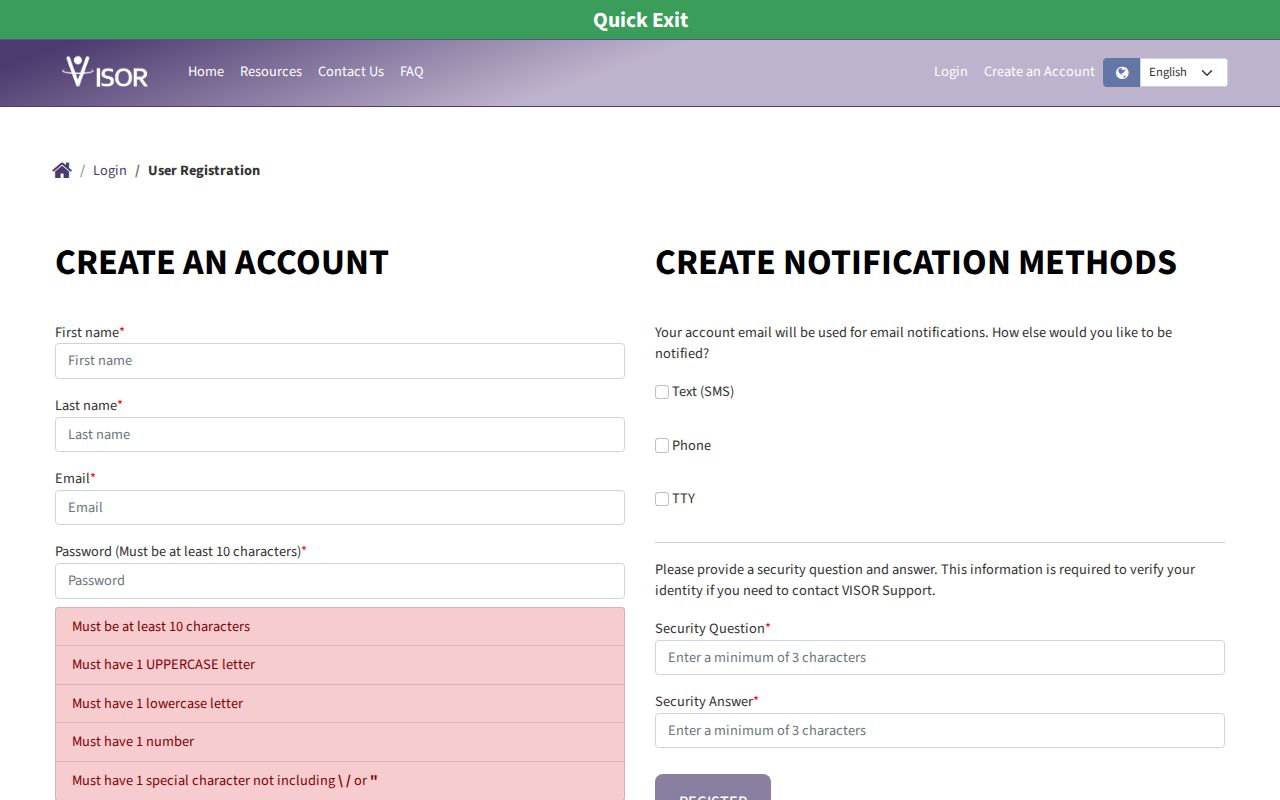
The image shows the registration route only, with no booking photos or gallery.
VISOR Limits for Clatsop Custody
VISOR and the Clatsop roster overlap only partly. The county roster can list in-custody, electronic-monitoring, outside-custody, work-crew, and other program entries. VISOR draws on the custody and supervision data the state service receives. Someone can appear in one system first. Absence can also mean a participating facility is offline.
For a very fresh booking, the Daily Arrest Report guide shows how to read the roster's newest booked times and its data-accuracy stamp. The county promises no set refresh interval. A fast release can also hide someone from an in-custody snapshot.
VISOR is not a federal locator. It does not replace the Bureau of Prisons, U.S. Marshals Service, or ICE tools. The BOP locator covers eligible federal-prison custody, and the ICE locator handles immigration detention with its own exact-search rules. Neither belongs in a county result. Use the system that actually holds the person.
Clatsop Victim Services and VINE
The name change matters locally. Clatsop Victim Services now welcomes visitors to VISOR, while older county materials may still say VINE or VINELink. Both names point to the same purpose. The live Oregon interface controls the current steps. The Clatsop County Victim Services page offers the local route into the state system.
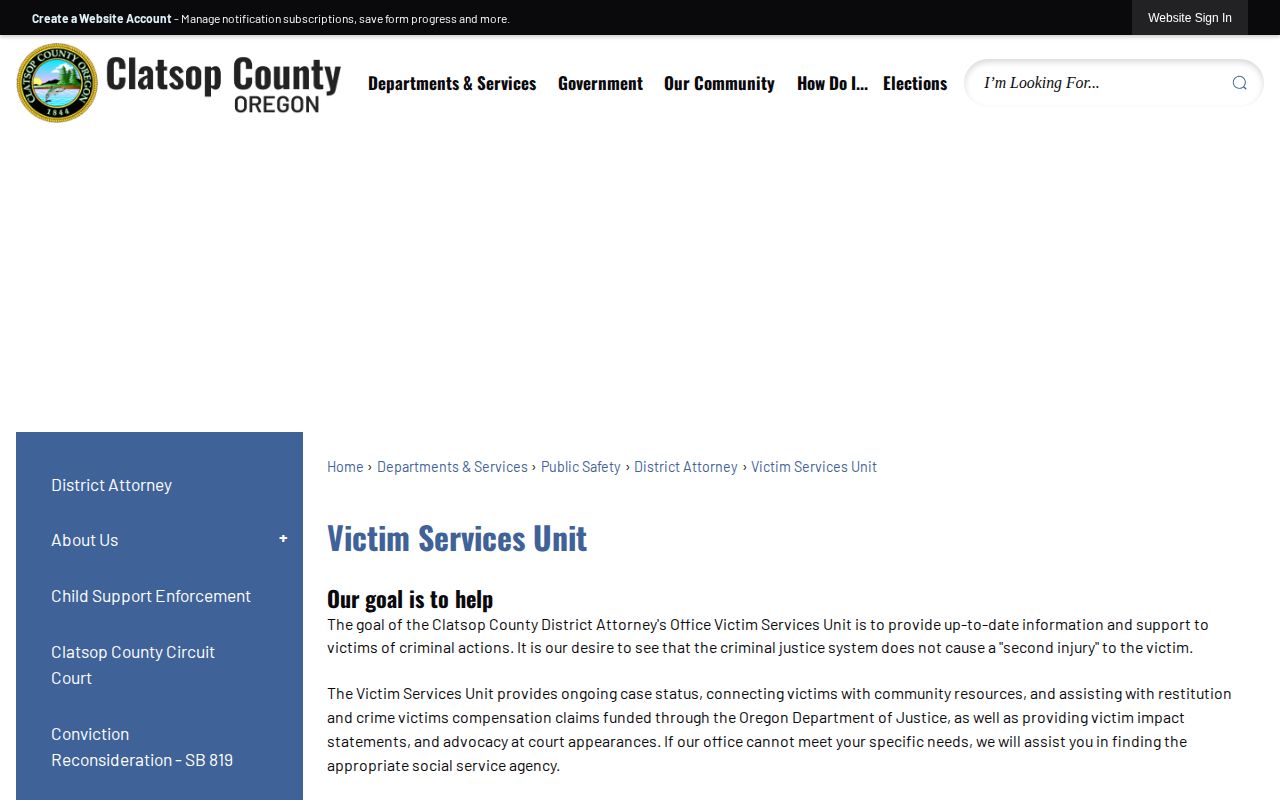
Older Clatsop County documents still say VINE. The live service is VISOR. Plenty of visitors get thrown by that wording gap. VISOR runs a support line at 855-691-6246 around the clock, and it takes emailed questions at VISOR@doc.oregon.gov, with replies promised inside three business days. Those contacts cover the notification platform only, so turn to CCSO when you need an official booking record or emergency help.
When a Clatsop Arrest Is Missing
An empty search result can mean several things. Intake may still be underway, the name may be spelled differently, or a facility's system may be down briefly. The person could also have been cited and released. Custody might even sit with another county, a state agency, or federal authorities. VISOR suggests trying a partial name first. Then search a known ID number. The county roster's timestamp and category controls deserve a look as well.
Still nothing? Call the Clatsop County Sheriff's Office at 503-325-8635, or dial the published non-emergency line, 503-325-2061, for routing. Have a name and a narrow date range ready. A missing VISOR result does not erase an arrest or prove release. Keep the channels straight: VISOR support handles platform help, CCSO Records holds a kept booking record, and Clatsop Circuit Court covers the case outcome, since a custody alert is not a full history.
Search Public Records
Sponsored Results